FrameBase
Your footage stays put.
The structure comes first.
Build your folders on the train, in the van, at the airport.
Open your Mac, and all that's left is dropping in the footage.
Coming SoonMac App
Coming Soon
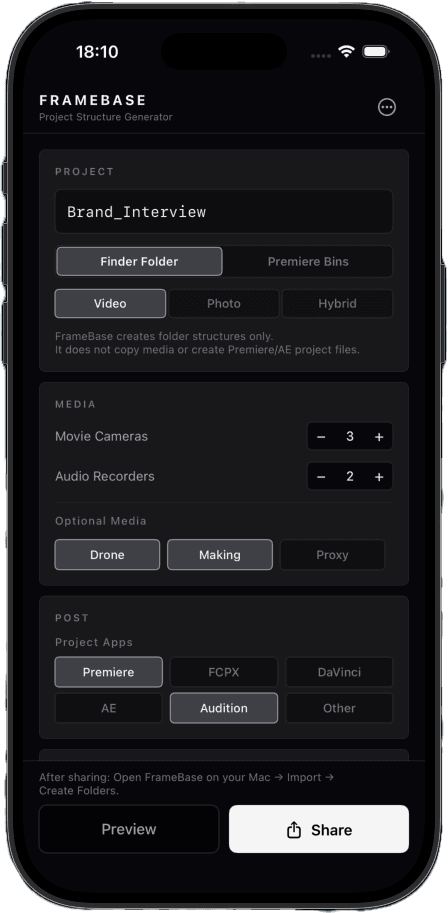
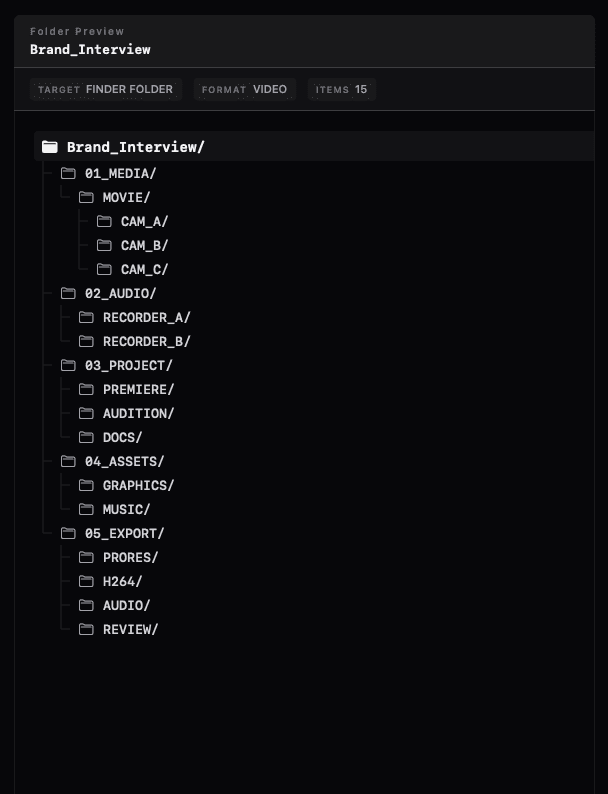
The shoot wraps. You're exhausted.
And yet —
- —Create folders.
- —Think through the structure.
- —Name everything.
- —Build bins in Premiere.
- —Different for every project.
Think for the edit.
Not for the folders.
FrameBase gets that work done before you open your Mac.
Change where you do the pre-edit prep.
Before — at the Mac
- Think through the structure
- Second-guess the names
- Rebuild the bins
- Notice what's missing
- Decide all over again
After — on iPhone, in transit
- Project name
- Camera count
- Audio
- Delivery
- Editing app
Don't save it for the desk when you get home —
have it built before you arrive.
The moment you're home,
you start with the copy.
Copying a template
still leaves the project-specific work.
A two-camera interview.
A location shoot with drone footage.
A hybrid photo and video project.
Even after copying a template,
you still adjust folders, rename things, and rebuild bins for that project.
FrameBase is a tool
for getting that work done ahead of time.
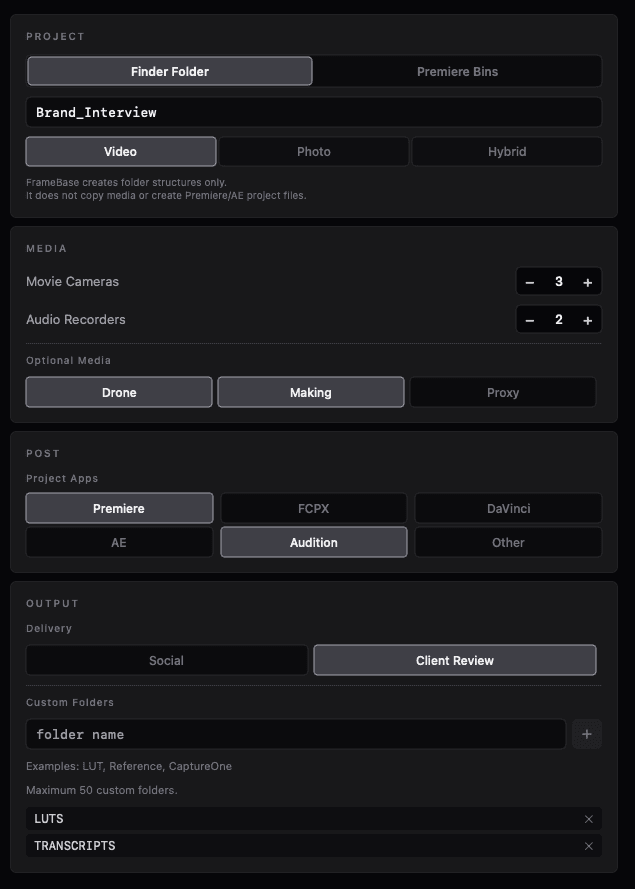
Decide on iPhone.
Your Mac just generates.
Name the project.
Pick the camera count.
Build the folders.
AirDrop it over.
Open it on your Mac.
Generate.
AirDrop / iCloud Drive
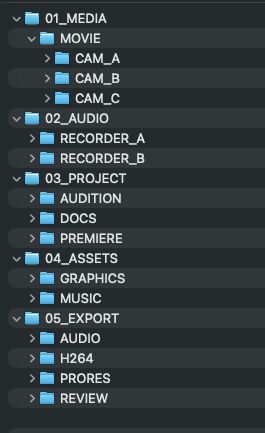
Build it for Finder.
Reuse it in Premiere.
From the structure you built on iPhone,
generate project folders and a Premiere Pro bin hierarchy.
You organize footage in Finder,
then rebuild a similar bin structure in Premiere.
FrameBase reduces that duplicate setup.
Finder Folder
Premiere Bin
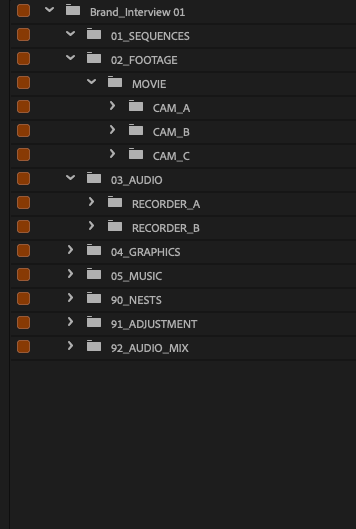
Never build the same structure twice.
Video after the shoot.
Photo before the shoot.
For video, from post-shoot organization through the edit.
For photo, prepare the structure for tethering, retouching, and delivery before the shoot starts.
When you decide the folders is up to you.
Video
Photo
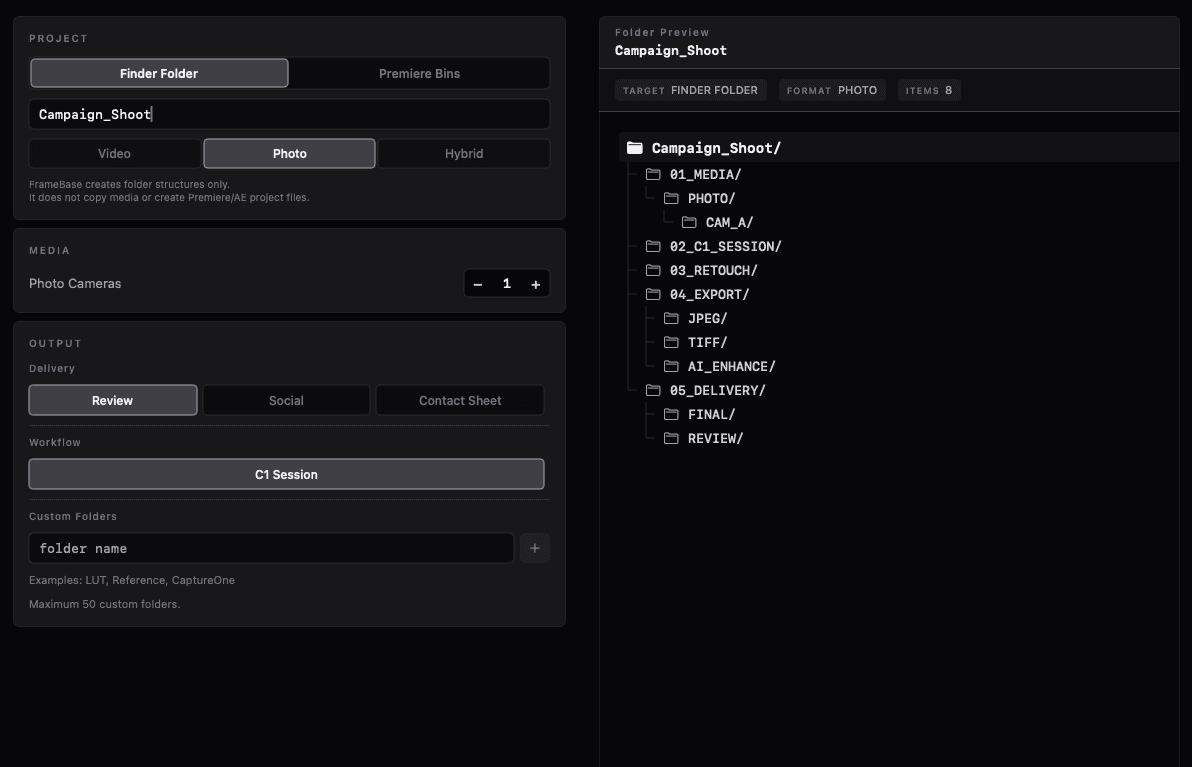
Save your thinking for the work itself.
What FrameBase won't do.
- It won't touch your footage.
- It won't move it.
- It won't rewrite it.
FrameBase has one job.
Fewer decisions for the folders.
Built for real production workflows.
FrameBase will continue to evolve with them.
No account required.
Works offline.
No cloud required.
Open your Mac.
Start editing.
Finish the pre-edit prep ahead of time. Just drop in the footage.
Coming SoonMac App
Coming Soon