
FrameBase
iOS / macOS App
Set up your project folders ahead of time.
Build your folders on the train, in the van, at the airport.
Open your Mac, and all that's left is to add your media.

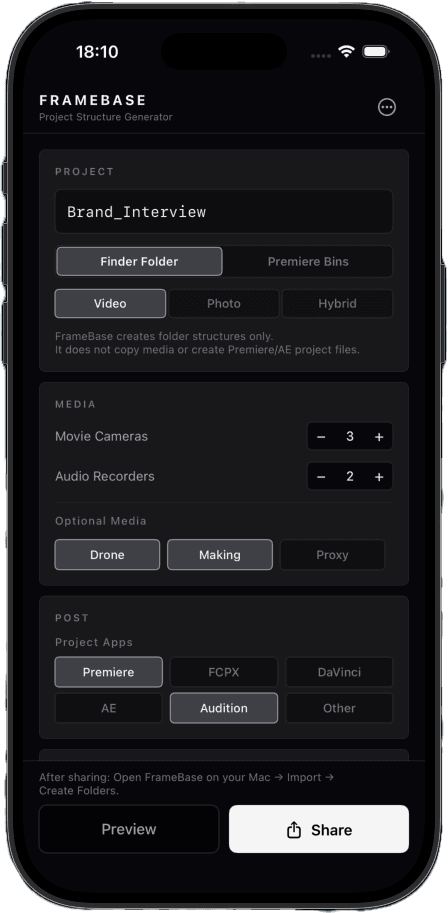
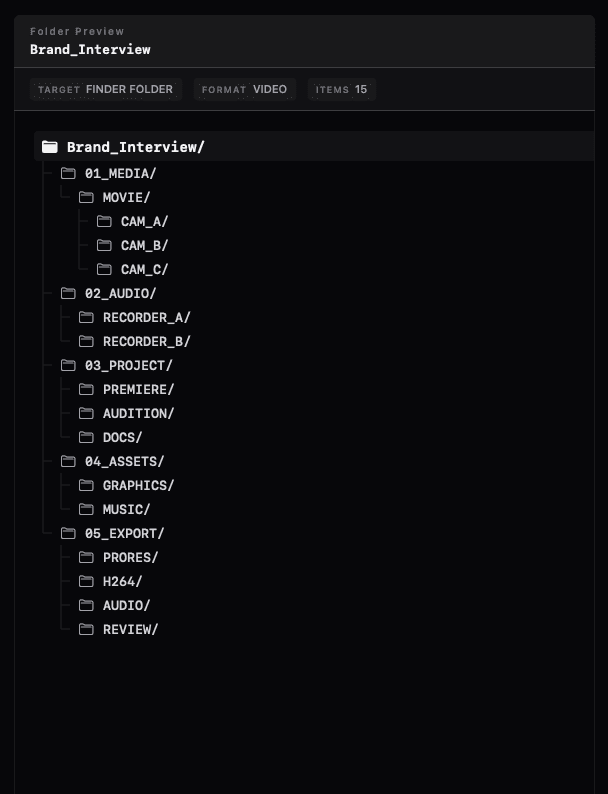
The shoot wraps. You're exhausted.
And yet —
- —Create folders.
- —Think through the structure.
- —Name everything.
- —Build bins in Premiere.
- —Different for every project.
Think for the edit.
Not for the folders.
FrameBase gets that work done before you open your Mac.
Get the desk work done before you reach the desk.
Before — at the Mac
- Think through the structure
- Second-guess the names
- Rebuild the bins
- Notice what's missing
- Decide all over again
After — on iPhone, in transit
- Project name
- Camera count
- Audio
- Delivery
- Editing app
Instead of figuring out your project structure when you get home,
build the project folders on your iPhone ahead of time.
When you get back to your desk,
start by copying your media.
Copying a template
still leaves the project-specific work.
A two-camera interview.
A location shoot with a drone and behind-the-scenes footage.
A three-day live event across multiple venues.
A hybrid photo and video shoot.
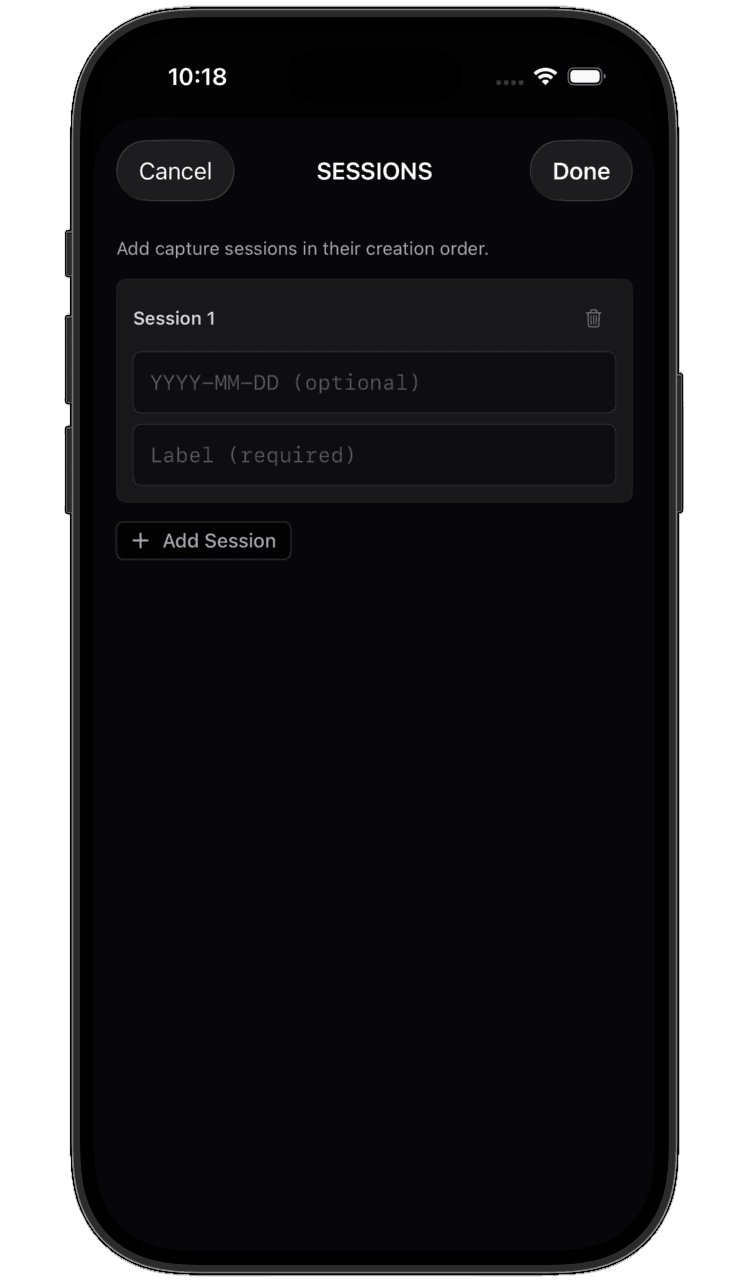
Multi-day shoots can be set up in advance, Session by Session.
Add a date and label, and FrameBase generates the folder structure for each Session.
FrameBase is a tool
for getting that desk work done on your iPhone, before you ever sit down.
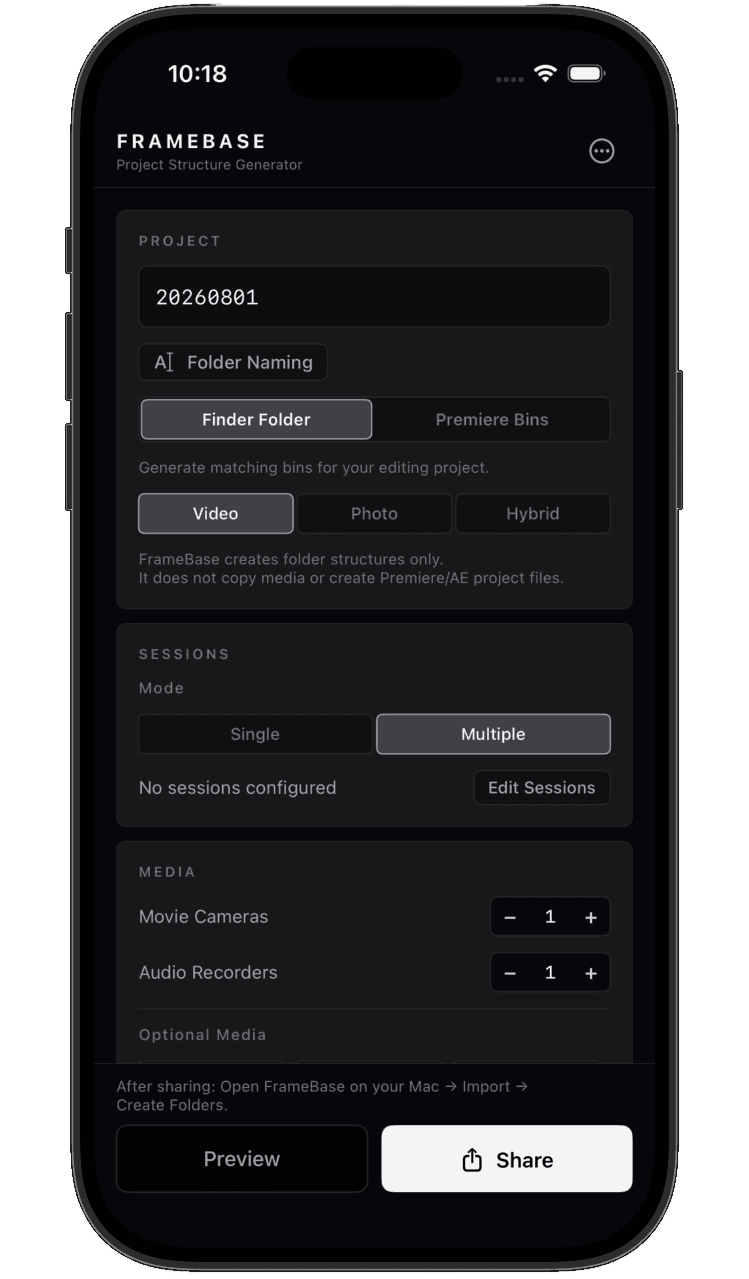
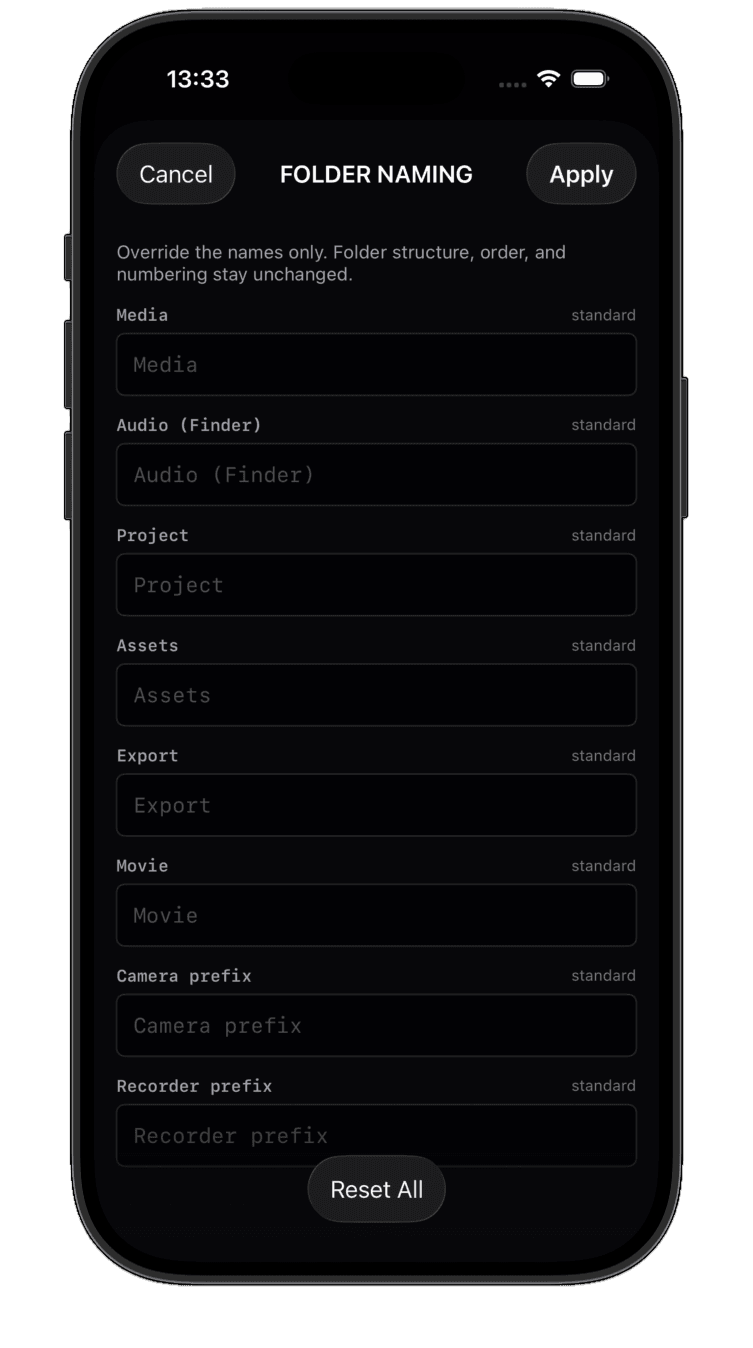
Use the folder names you already use.
MEDIA becomes FOOTAGE. PROJECT becomes EDIT.
Customize FrameBase's standard names to match the workflow your team already uses.
- —MEDIA → FOOTAGE
- —PROJECT → EDIT
Set the names on iPhone, then carry them into Finder folders and Premiere bins on Mac.
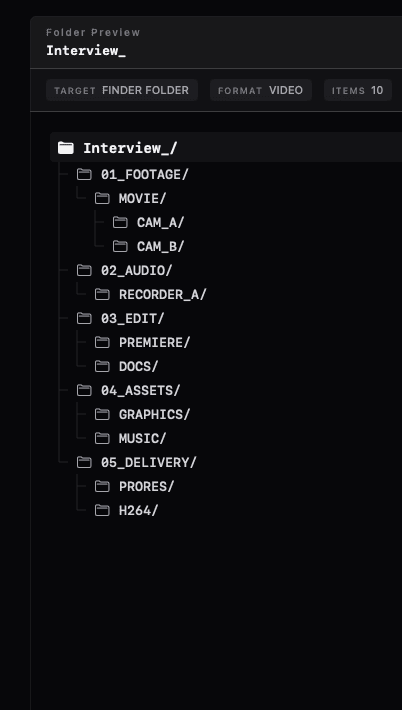
Set it up on iPhone. Generate it on Mac.
Name the project.
Pick the camera count.
Build the folders.
AirDrop it over.
Open it on your Mac.
Generate.
You can also use the Mac app entirely from the keyboard.
AirDrop / iCloud Drive
Build it for Finder.
Reuse it in Premiere.
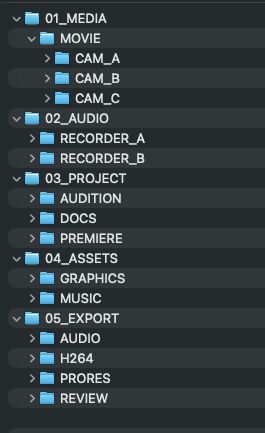
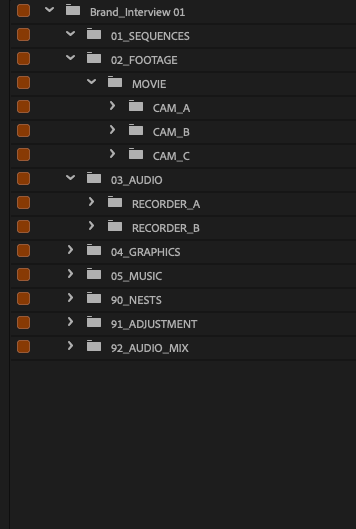
From the structure you built on iPhone,
generate project folders and a Premiere Pro bin hierarchy.
You organize footage in Finder,
then rebuild a similar bin structure in Premiere.
FrameBase reduces that duplicate setup.
Finder Folder
Premiere Bin
Never build the same structure twice.
Video after the shoot.
Photo before the shoot.
For video, from post-shoot organization through the edit.
For photo, prepare the structure for tethering, retouching, and delivery before the shoot starts.
When you decide the folders is up to you.
Video
Photo
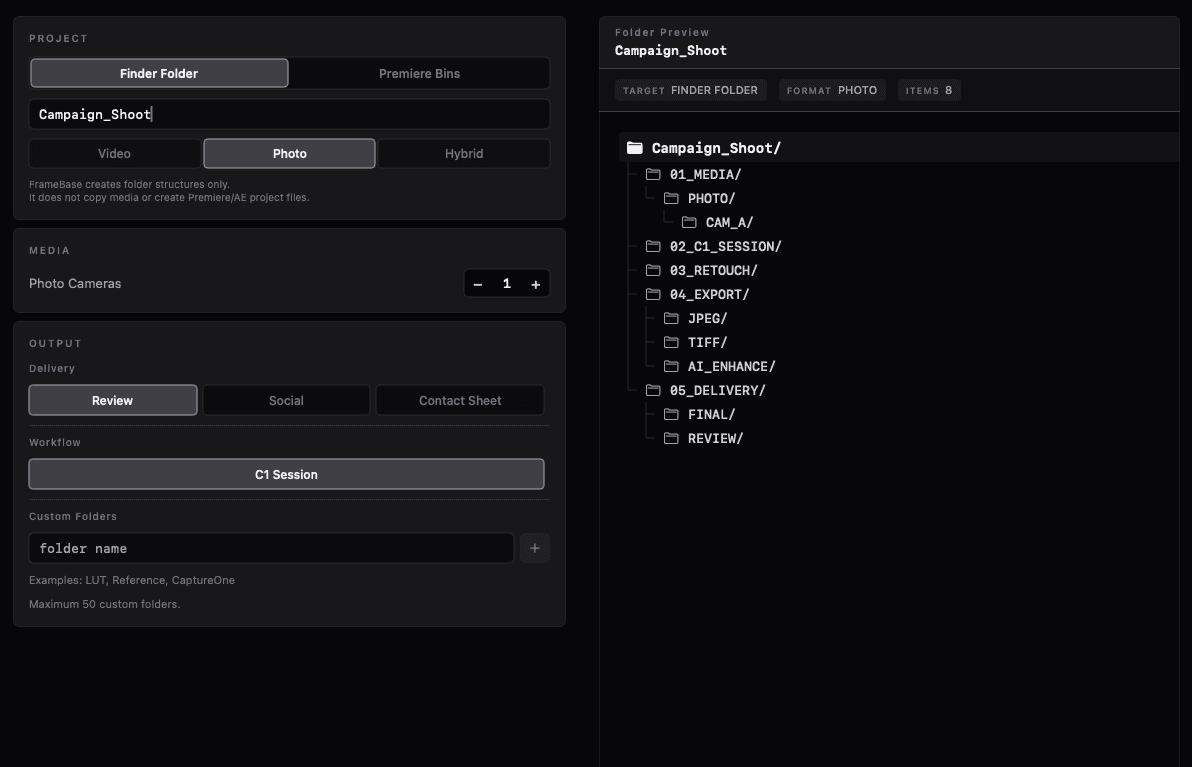
Save your thinking for the work itself.
What FrameBase won't do.
- It won't touch your footage.
- It won't move it.
- It won't rewrite it.
FrameBase has one job.
Fewer decisions for the folders.
Built for real production workflows.
FrameBase will continue to evolve with them.
No account required.
Works offline.
No cloud required.
On your Mac, get to the work that matters.
Your project folder structure is already in place. Just add your media.
Free download · Pro Unlock $4.99 · One-time purchase